
Hi, how can we help?
Top Articles
Getting Started with iPay
How do I download and install the iPay app on my phone?


What devices and operating systems are supported?
How do I create a new iPay account?
Accessing Your Account
How do I log in to the iPay app?
What should I do if I forget my username or password?
How do I verify my identity to unlock full access?
Managing Your Card
How do I activate my new or replacement card?
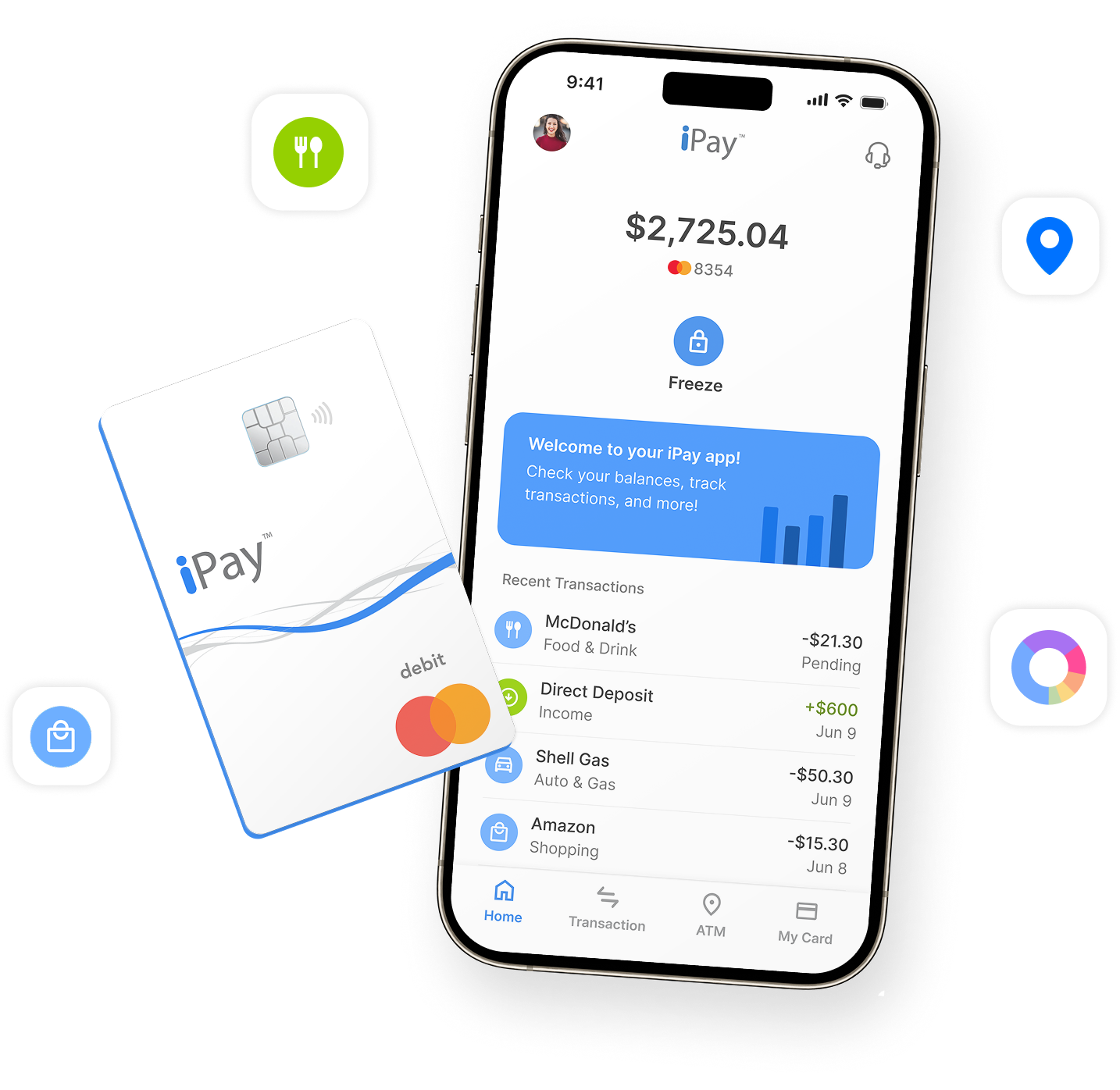
How can I freeze or unfreeze my card if it’s lost or stolen?
Where can I find my card details or request a replacement?
Tracking Your Money
How do I check my balance in the app?
How do I view or search my transaction history?
Where can I find ATM locations to withdraw cash?
Help by Topic
Getting Started
Download the app, register your card, and finish ID verification.

Profile & Settings
Update password, email, phone, and biometric sign‑on preferences.

Account & Data
Request or update your data, and manage account access or closure.

Switching from Legacy Website
Learn how to move from the Legacy iPay Website to the new iPay App or Website.

Manage Your Card
Freeze/unfreeze, replace your card, view Direct Deposit and statements.
Activate Your Card
Turn on a new or replacement card and set your PIN.

Balance & Transactions
View your balance, track history, and reload your card.

ATM Locator
Find nearby ATMs and get directions from your map app.

Sign In & Security
Log in, reset credentials, and enable Face ID or fingerprint.
Still Need help?
We're here for you! For extra support, just click here!
8 AM – 8 PM CST (Mon-Fri)


Help Center
Hi, how can we help?
Top Articles
Getting Started with iPay
How do I download and install the iPay app on my phone?

What devices and operating systems are supported?
How do I create a new iPay account?
Accessing Your Account
How do I log in to the iPay app?
What should I do if I forget my username or password?
How do I verify my identity to unlock full access?
Managing Your Card
How do I activate my new or replacement card?
How can I freeze or unfreeze my card if it’s lost or stolen?
Where can I find my card details or request a replacement?
Tracking Your Money
How do I check my balance in the app?
How do I view or search my transaction history?
Where can I find ATM locations to withdraw cash?
Help by Topic
Getting Started
Download the app, register your card, and finish ID verification.
Profile & Settings
Update password, email, phone, and biometric sign‑on preferences.
Sign In & Security
Log in, reset credentials, and enable Face ID or fingerprint.
Activate Your Card
Turn on a new or replacement card and set your PIN.
Balance & Transactions
View your balance, track history, and reload your card.
Account & Data
Request or update your data, and manage account access or closure.
Switching from Legacy Website
Learn how to move from the Legacy iPay Website to the new iPay App or Website.
Manage Your Card
Freeze/unfreeze, replace your card, view Direct Deposit and statements.
ATM Locator
Find nearby ATMs and get directions from your map app.
Still Need help?
We're here for you! For extra support, just click here!
8 AM – 8 PM CST (Mon-Fri)
Help Center
Hi, how can we help?
Top Articles
Getting Started with iPay
How do I download and install the iPay app on my phone?

What devices and operating systems are supported?
How do I create a new iPay account?
Accessing Your Account
How do I log in to the iPay app?
What should I do if I forget my username or password?
How do I verify my identity to unlock full access?
Managing Your Card
How do I activate my new or replacement card?
How can I freeze or unfreeze my card if it’s lost or stolen?
Where can I find my card details or request a replacement?
Tracking Your Money
How do I check my balance in the app?
How do I view or search my transaction history?
Where can I find ATM locations to withdraw cash?
Help by Topic
Getting Started
Download the app, register your card, and finish ID verification.
Profile & Settings
Update password, email, phone, and biometric sign‑on preferences.
Sign In & Security
Log in, reset credentials, and enable Face ID or fingerprint.
Activate Your Card
Turn on a new or replacement card and set your PIN.
Balance & Transactions
View your balance, track history, and reload your card.
ATM Locator
Find nearby ATMs and get directions from your map app.
Account & Data
Request or update your data, and manage account access or closure.
Switching from Legacy Website
Learn how to move from the Legacy iPay Website to the new iPay App or Website.
Manage Your Card
Freeze/unfreeze, replace your card, view Direct Deposit and statements.
Still Need help?
We're here for you! For extra support, just click here!
8 AM – 8 PM CST (Mon-Fri)